AF Inventory System

for Unity UI (uGUI)

Horizontal & Vertical Layouts
Single or multiple rows, with configurable navigation and sizing.

Rich Item Interaction
Select, use, examine, combine, open, give and drop, with configurable mouse-button behavior.

Fully Customizable UI
Use the clean templates or create your own look. AF Wrap Layout Group included.

AF Inventory System

Unity 6 / UGUI / TMP / AF Wrap Layout Group (included) /
Built-In / URP / HDRP / SRP

Easy Inspector setup / Prefab-based / Full runtime API

Soon on Unity Asset Store

Flexible inventory UI for any game

AF Inventory System separates inventory functionality from presentation, giving you the freedom to build an interface that fits your game rather than adapting your game to a fixed visual style. Create horizontal or vertical inventories, use single or multiple rows, position controls where they suit your layout, and style every major visual element.

The included demo interfaces show just how different the same inventory system can look - from dark fantasy and horror to clean science fiction - while the included plain templates provide a neutral starting point for your own design.
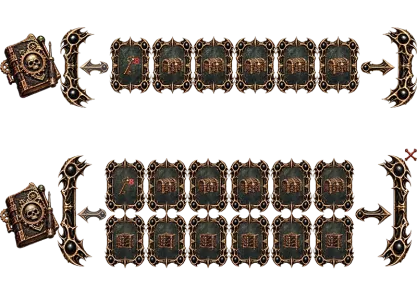
AF Inventory System - Demo Horror Inventory Bar

AF Inventory System - Demo Horror Inventory Bar

AF Inventory System - Demo Horror Examine Panel

AF Inventory System - Demo Horror Examine Panel

AF Inventory System - Clean Starter Template

AF Inventory System - Clean Starter Template

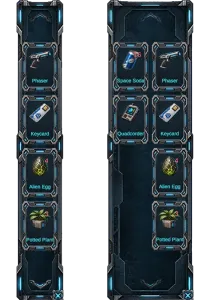
AF Inventory System - Demo SciFi Inventory Panel

AF Inventory System - Demo SciFi Inventory Panel

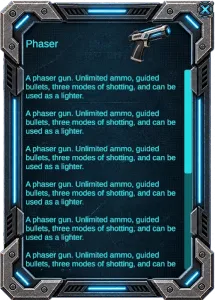
AF Inventory System - Demo SciFi Examine Panel

AF Inventory System - Demo SciFi Examine Panel

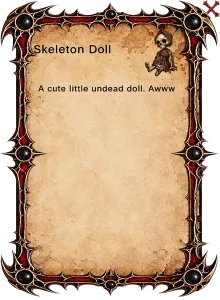
AF Inventory System - Skeleton Doll

AF Inventory System - Skeleton Doll

AF Inventory System keeps its core inventory data, presentation and UI references clearly organized in the Inspector, making it easy to configure and restyle without changing the underlying system.

Settings
Configure orientation, visible rows, item visuals, navigation, inventory controls, icon behaviour, close button and Examine panel directly on the Inventory View.

Starting Items
Assign an item database, set inventory limits and overflow behaviour, then define any starting items and quantities directly in the Inspector.

Item UI
Item prefabs expose their button, icon, name, quantity and selection references, keeping custom item designs straightforward to connect.

Examine Panel UI
Build your own Examine UI and assign its name, icon, description, scrolling, close control, header and background references independently.


AF Inventory System - Editor

Features

  • Horizontal and vertical inventory layouts
  • Single or multiple rows with configurable visible limits
  • Item quantities and multiple instances supported
  • Select, use, examine, combine, open, give and drop item actions
  • Configurable left, right and middle-click behaviour
  • Item combination recipes with result items
  • Configurable Examine panel with scrolling descriptions
  • Previous / Next navigation with automatic availability
  • Inventory open / close controls and optional inventory icon
  • Item database with configurable starting items and quantities
  • Maximum slot limits with configurable overflow behaviour
  • Clean templates plus Horror and Sci-Fi demo interfaces

Developers

  • Full C# source included
  • Public API for inventory queries and runtime manipulation
  • Add, remove and query items and quantities at runtime
  • Query inventory and item selection state
  • Events for item selection and supported item interactions
  • Item definitions separated from runtime inventory instances
  • Inspector-driven setup with exposed UI references
  • Custom item and Examine prefabs supported
  • Visual presentation separated from inventory functionality
  • Designed for integration with existing gameplay systems
  • AF Wrap Layout Group included
  • Demo content and clean starting prefabs included

Technical details

  • Built for Unity UI (uGUI)
  • Uses TextMesh Pro
  • AF Wrap Layout Group included in the package
  • No third-party dependencies
  • No external Asset Store package required
  • Full source — no precompiled runtime DLL
  • ScriptableObject-based item database and definitions
  • Horizontal and vertical layouts from the same core system
  • Compatible with Built-in, URP, HDRP and Custom Render Pipelines
  • Genre and project independent
  • Mouse and touch-friendly UI architecture
  • UI Toolkit is not supported